How to Use Secrets AI: Complete Beginner's Guide (2026)
Getting started with Secrets AI takes under 5 minutes, and you receive 200 free Moments and access to the full character library without providing a credit card. The platform is browser-based — no app download required — and the setup process is straightforward even for first-time AI companion users.
This guide walks through every step: account creation, choosing your first character, your first conversation, exploring media features, managing Moments, and enabling privacy settings. For a full assessment of what the platform offers before you commit, see the complete Secrets AI review.
Step 1 — Create Your Account
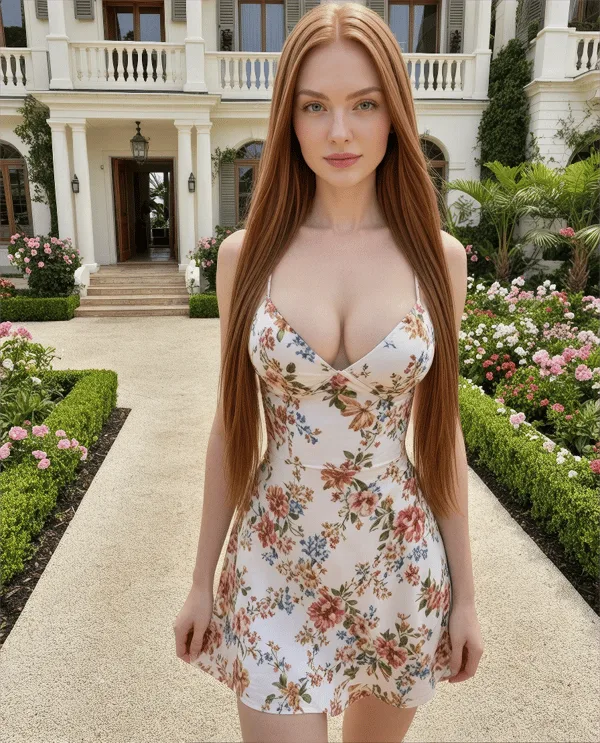
- Open any browser on your phone or computer and navigate to secrets.ai
- Click Sign Up (or equivalent registration button)
- Enter your email address and create a password
- Complete registration — no name, phone number, or payment method required
Your account is ready in under 60 seconds. You will immediately have:
- 200 free Moments credited to your account (one-time starting credit)
- Full access to the character library — all ~94 characters and 100+ scenarios are immediately available
- 20 messages per day on the free tier
No credit card is required to create an account or start chatting. The 200 Moments are yours to spend on text messages, or test a few image generations to evaluate quality before deciding on a paid plan.
Step 2 — Choose Your First Character

After logging in, you will see the character library. Two paths are available:
Browse pre-built characters:
The library contains approximately 94 hyper-realistic female characters and a smaller selection of anime-style characters. Characters are displayed with their name, personality summary, and a preview image. Click or tap any character to begin a conversation.
Create a custom character (first one is free):
If no pre-built character matches your preferences, create your own. Options include:
- Ethnicity (9 options), skin tone, eye color, hairstyle
- Body type (6 options)
- Voice (6 options)
- Personality traits: confidence, playfulness, dominance, intelligence
- Profession (5 preset categories) and personality presets (5 options)
- Hobbies and a free-text details field for open-ended personalization
The free-text details field is worth spending time on — the more specific you are about preferred interaction style, relationship dynamic, and interests, the more the AI incorporates those preferences into conversation. Generic input produces generic output; detailed input produces noticeably better personalized responses.
When you create a new character, 4 images are auto-generated based on the visual settings you selected.
Step 3 — Start Your First Conversation

The chat interface opens with a set of conversation starters — roughly half casual, half suggestive. You can use these or write your own opener.
Early tips for setting up a good conversation:
- Set the tone in your first few messages — the AI calibrates its approach to match the dynamic you establish early
- Be specific in your responses — vague responses lead to vague AI replies; concrete details and scenario-setting lead to more engaging interaction
- The AI asks follow-up questions — you do not need to carry the entire conversation; the AI participates actively
- Free users: 20 messages per day — each exchange (your message + AI reply) counts against this limit; use your daily allocation strategically
The AI does not have internet access or external knowledge beyond companion interaction. It is focused entirely on the relationship and conversation context — it will not answer questions about current events or look things up for you. This is a companion, not a research assistant.
For a detailed breakdown of chat quality, NSFW capabilities, and roleplay scenarios, see the chat guide.
Step 4 — Explore Media Features
Generate Images
Image generation is available from the Lite tier and above. On the free tier, the 200 starting Moments can be used for images at 25-50 Moments each (approximately 4-8 images from your starting credit).
To generate an image:
- Find the image generation option in the chat interface (typically a camera or image icon)
- The AI generates an image consistent with the character's defined appearance and the conversation context
- Cost: 25-50 Moments per image, depending on generation model
Two generation models are available: Standard and Advanced. Advanced quality is unlocked on Premium tier and above and produces noticeably better results.
Create Videos
Video generation is Secrets AI's most distinctive feature — most competing platforms do not offer this. Available from Lite tier and above (not on the free plan).
To create a video:
- Start with an existing companion image
- Add a text prompt describing the movement or action you want
- Wait approximately 2 minutes for generation to complete
- View and save the completed video clip
Cost range: Short 3-second clips cost ~50 Moments; longer clips run up to 600 Moments. Video is the most Moments-intensive feature on the platform — budget accordingly. See the video generator page for detailed cost breakdowns by tier.
Try Voice Calls
Voice calling is available on all paid tiers (Lite and above) at 100 Moments per minute. Six voice options are available per character. Voice quality is rated 4.3/5 by independent reviewers — natural-sounding and adaptable to conversational tone.
Voice calls initiate directly from the chat interface. There is no separate voice-only mode.
Step 5 — Manage Your Moments
Moments are the platform's in-app currency. Every media action costs Moments, and managing your balance is one of the most important practical skills for regular Secrets AI users.
Cost reference:
| Action | Moments Cost |
|---|---|
| Text message | 1-2 |
| Image generation | 25-50 |
| Short video (3 sec) | ~50 |
| Full video | up to 600 |
| Voice call | 100 per minute |
| Manual memory save | 10 |
Practical budget management:
- Text messaging is nearly free — focus Moments spending on media you actually want
- For first-time users: spend your 200 free Moments on a few images (25-50 each) to evaluate image quality before upgrading
- Avoid spending all starting Moments on video — at 50-600 Moments per clip, a single video can consume your entire free allocation
- The Plus plan ($9.99/month) provides 3,000 Moments monthly — workable for regular image use and occasional video
- Top-ups are available: 1,980 Moments for $5.99, up to 118,800 Moments for $249.99
For a full breakdown of which plan matches your expected usage pattern, see the pricing plans guide and the free vs premium comparison.
Step 6 — Enable Privacy Features
Before your first sensitive conversation, configure the privacy settings:
- Private Mode: Find the Private Mode toggle in the conversation settings. Enabling it turns on end-to-end encryption for that conversation and removes it from AI training data. This must be done per conversation — it is not a global setting.
- Billing: All Secrets AI charges appear on your bank statement as "Sun Clinical Laboratories" — no reference to the platform or adult content.
- Anonymous use: Your account requires only an email and password — no real name is associated with your account unless you choose to provide one.
If financial privacy is a priority, cryptocurrency payments are accepted (minimum $20 transaction) — this creates no bank record linking your card to the platform.
Tips for New Users
Eight practical tips that make a difference in the first week:
- Start with the free tier — 200 Moments is enough to evaluate conversation quality and decide whether to pay
- Don't spend all starting Moments on video — test images first; video costs 12x more than images at minimum
- Fill in the free-text character details field — the most impactful customization option available to you
- Set the tone explicitly in the first few exchanges — the AI adapts to your conversational style early in each session
- Enable Private Mode before any sensitive conversation — one tap in conversation settings
- Consider the Plus plan ($9.99/month) as the first paid upgrade — unlimited messages + 3,000 Moments covers most casual use cases well
- Save important relationship details manually (10 Moments each) — especially on lower tiers where memory recall is limited
- Add secrets.ai to your phone's home screen — the Add to Home Screen option in your mobile browser creates a full-screen shortcut that makes the platform easier to access
Common Issues and Solutions
Messages not sending
Check your daily message limit. Free accounts are capped at 20 messages per day. The counter resets every 24 hours. If you have hit the limit, wait for the reset or upgrade to a paid plan — Lite provides 100 messages/day; Plus and above are unlimited.
AI seems forgetful
Free and Lite tiers have limited memory recall — free users get only 2-3 exchanges of context; Lite provides approximately 14 days. If the AI is forgetting important details about your relationship or preferences, this is a function of your tier's memory limit. Upgrading to Plus (30-day recall) or Premium (unlimited) significantly changes the continuity experience. You can also save specific memories manually at 10 Moments each.
Slow responses
Response speed is affected by server load during peak hours. If responses are slower than expected, try again during off-peak times (early morning or late night in US time zones). This is a temporary server load issue, not a permanent quality problem.
Can't generate video
Video generation requires at least a Lite subscription. Free accounts cannot generate videos. If you are on a paid tier but still cannot access video, check whether you have sufficient Moments — a short clip requires ~50 Moments and a longer clip up to 600.
Forgot password
Use the password reset link on the login page at secrets.ai. A reset link will be sent to your registered email address. If you do not receive the email, check your spam folder. Password resets typically arrive within a few minutes.
FAQ
Go to secrets.ai in any browser, click Sign Up, enter your email and a password, and your account is ready in under 60 seconds. No credit card is required. You receive 200 free Moments and access to the full character library immediately. The first character you create is free, or you can choose from approximately 94 pre-built characters.
No. Secrets AI is entirely browser-based — there is no app download, no APK, and no desktop application. Access it through any modern browser on your phone, tablet, or computer. For the closest-to-app mobile experience, you can add secrets.ai to your home screen via the browser's Share menu (iOS) or the three-dot menu (Android Chrome).
Free accounts receive 20 messages per day with a 500-character maximum per message. This resets every 24 hours. You also receive 200 starting Moments as a one-time credit. Paid plans increase this: Lite allows 100 messages/day; Plus, Premium, and Ultimate have unlimited daily messaging.
Yes. Secrets AI is mobile-responsive and works in Chrome, Safari, Firefox, and other mobile browsers. There is no native app, but adding secrets.ai to your home screen creates a full-screen shortcut that mimics an app experience. All features including chat, image generation, video creation, and voice calls are accessible from a smartphone browser.